Sumo Ball
Sumo Ball is one of my student portfolio pieces from my time at The Game Assembly back in 2020. The quality of my work has improved since then but by all means — feel free to take a look!
Objective
It’s a 1-on-1 fighting game where the players compete over occupying the center circle to gain score. The player that fills all their score bars wins the round! Winning 3 rounds makes you the winner of the game.
Mission Statement
- Easy to pick up and play
- Enjoyed by both hardcore & casual players
- Enables meta discussion with many layers of strategy
- Unlockable skills that hook the players to play more
Player Abilities
Main ability: Dash
All players have a standard move called Dash. Dashing into an opponent sends them away.
Dashing is the players main tool for fighting, and the whole game is single-handedly affected by how the dash works. The game had to be fun to play even if both players only had the Dash.
The longer you charge the move, the harder you hit and further you go.
If you get hit while charging Dash, your charge will be canceled and depleted, introducing risk/reward for charging longer.
Choosing additional abilitites
Instead of having a character select like you normally would in a fighting game, I felt it would be more interesting to be able to select a number of abilities as a “loadout” to use when fighting. Both players had to keep ability cost in mind, as stronger abilities used more of your ability slots.
Active abilities
These are activated for a duration of time with a button press.
Cloak
Speed Boost
Noclip
Passive abilitites
These are constantly active “buffs” that affects the stats of the player.
For example:
- Heavy - Slower but less affected by knockback
- Swift - Faster but more affected by knockback
Input System and Selecting Abilities
I wanted the players to have full control over what inputs or set-ups they wanted. So I let the abilities get bound to any key, with a few exceptions like the Dash button or Pause button.
The input icon for the keyboard keys changes depending on the key that got pressed. Since the name of the key is displayed, I had to automatically scale the text and select image accordingly.
For gamepad buttons I chose to make icons that would somewhat work for all types of controllers, since unique icons for all of them would take too long.
An example of my iteration process
The score bar went through a lot of iterations during the development as it had a large impact on the gameplay. Here’s a summary of the biggest changes I made and why.
Iteration 1:
Liked:
I wanted the score bar to be seen well in the peripheral vision (so the player could focus on the action instead of looking to the sides).
Didn’t like:
Having one long bar made it hard to estimate how much score one needed left. Since the bar wasn’t decaying the losing player would have a hard time making a comeback. I wanted the game to have “clutch” moments so I wanted the end to feel intense.
Iteration 2:
Liked:
Dividing the bar into segments. It became easier understanding the score as the player could think of how many segments they had filled in comparison to their opponent instead of thinking of the percents.
Decaying score. Now the players had to hold their ground until the segment got filled. With this the rounds got divided into smaller battles of who would get their segment filled, and successfully fending off the opponent for long enough gave a sense of triumph and relief.
Scoring state colors. One could in their peripheral vision easily see the state of their score bars (whether their score was increasing, decreasing, paused etc.)
Didn’t like:
Scoring state colors. Not knowing what bar belonged to what player made it confusing and the colors had nothing to do with the player colors
Iteration 3:
Liked:
Scrolling Animation. I made the bar filling states extra clear with scrolling movement on the bar, to emphasize if the score is decaying, filling, or paused.
Player color. Having animations displaying the state of the bar instead of colors allowed me to use the player colors on the bars, to easily see what player is using what bar.
Animation when segment got filled. To show the player they’ve successfully filled a segment of the bar.
Blueprints
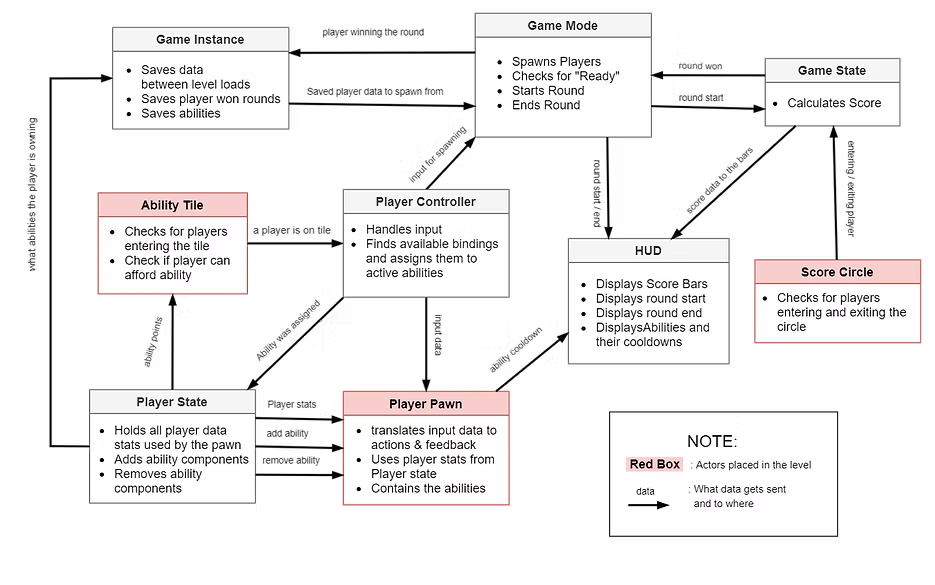
System design & structure
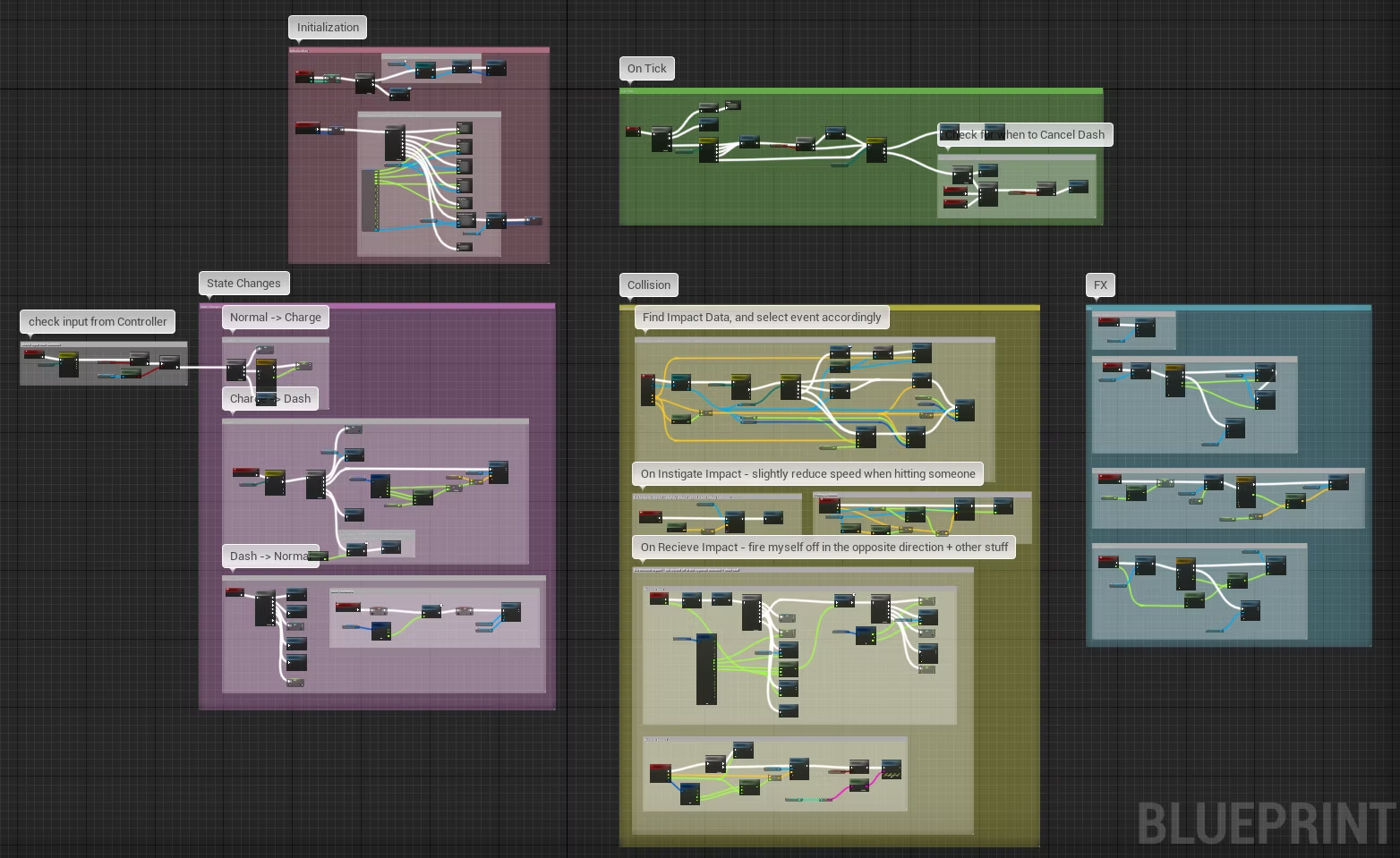
The player blueprint